Hi, I was a happy ComfyUI user up until my 2nd HD crashed in my laptop. I had the application installed in my documents folder on C:, and the working directory on D:\ComfyUI. All was fine and dandy and this worked fine on Windows 11 up until the 2nd HD started to fail.
Unfortunately, I was unable to run the uninstall program because it was corrupted on D: so I was out of luck and tried to uninstall things manually myself after replacing the HD with a new one.
I searched and cleaned up files for ComfyUI (on C: and D:) and then cleaned up registry entries as well. I think I cleaned it all up, but for the life of me I can’t install it again no matter what combination of drives I try. I always get the same error:
[2025-12-06 20:32:31.948] [info]  Running command: C:\Users\me\Documents\ComfyUI\.venv\Scripts\python.exe C:\Users\me\AppData\Local\Programs\ComfyUI\resources\ComfyUI\main.py --user-directory C:\Users\me\Documents\ComfyUI\user --input-directory C:\Users\me\Documents\ComfyUI\input --output-directory C:\Users\me\Documents\ComfyUI\output --front-end-root C:\Users\me\AppData\Local\Programs\ComfyUI\resources\ComfyUI\web_custom_versions\desktop_app --base-directory C:\Users\me\Documents\ComfyUI --extra-model-paths-config C:\Users\me\AppData\Roaming\ComfyUI\extra_models_config.yaml --log-stdout --listen 127.0.0.1 --port 8000 in C:\Users\me\Documents\ComfyUI
[2025-12-06 20:32:32.407] [error] Python process exited with code 1 and signal null
[2025-12-06 20:32:32.420] [error] Unhandled exception during server start Error: Python process exited with code 1 and signal null
    at ChildProcess.<anonymous> (C:\Users\me\AppData\Local\Programs\ComfyUI\resources\app.asar\.vite\build\main.cjs:38408:18)
    at ChildProcess.emit (node:events:519:28)
    at ChildProcess._handle.onexit (node:internal/child_process:294:12)
In comfyui.log there’s a little bit there, not sure if it’s related:
[2025-12-06 20:32:32.394] [error] Traceback (most recent call last):
  File "C:\Users\me\AppData\Local\Programs\ComfyUI\resources\ComfyUI\main.py", line 14, in <module>
    from comfy_execution.progress import get_progress_state

[2025-12-06 20:32:32.397] [error]   File "C:\Users\me\AppData\Local\Programs\ComfyUI\resources\ComfyUI\comfy_execution\progress.py", line 5, in <module>
    from PIL import Image
ImportError: cannot import name 'Image' from 'PIL' (C:\Users\me\Documents\ComfyUI\.venv\Lib\site-packages\PIL\__init__.py)
Hey, try to remove the comfyui folder in the appdata\local direction, and try again.
Also, in case you run the installer version, try to use the portable version instead. Same functionality, fewer hassle than the installer version. And you can install multiple versions.
Yay, the portable installer works for me so I’ll stick to that. I tried many times to clean things up with the regular installer, including always deleting that folder you referenced but it didn’t seem to help.
So interesting development. After using the portable version for a bit I thought I’d give it another go so I downloaded the new installer ComfyUI Setup 0.6.0 - x64.exe and it actually installed with no python errors!
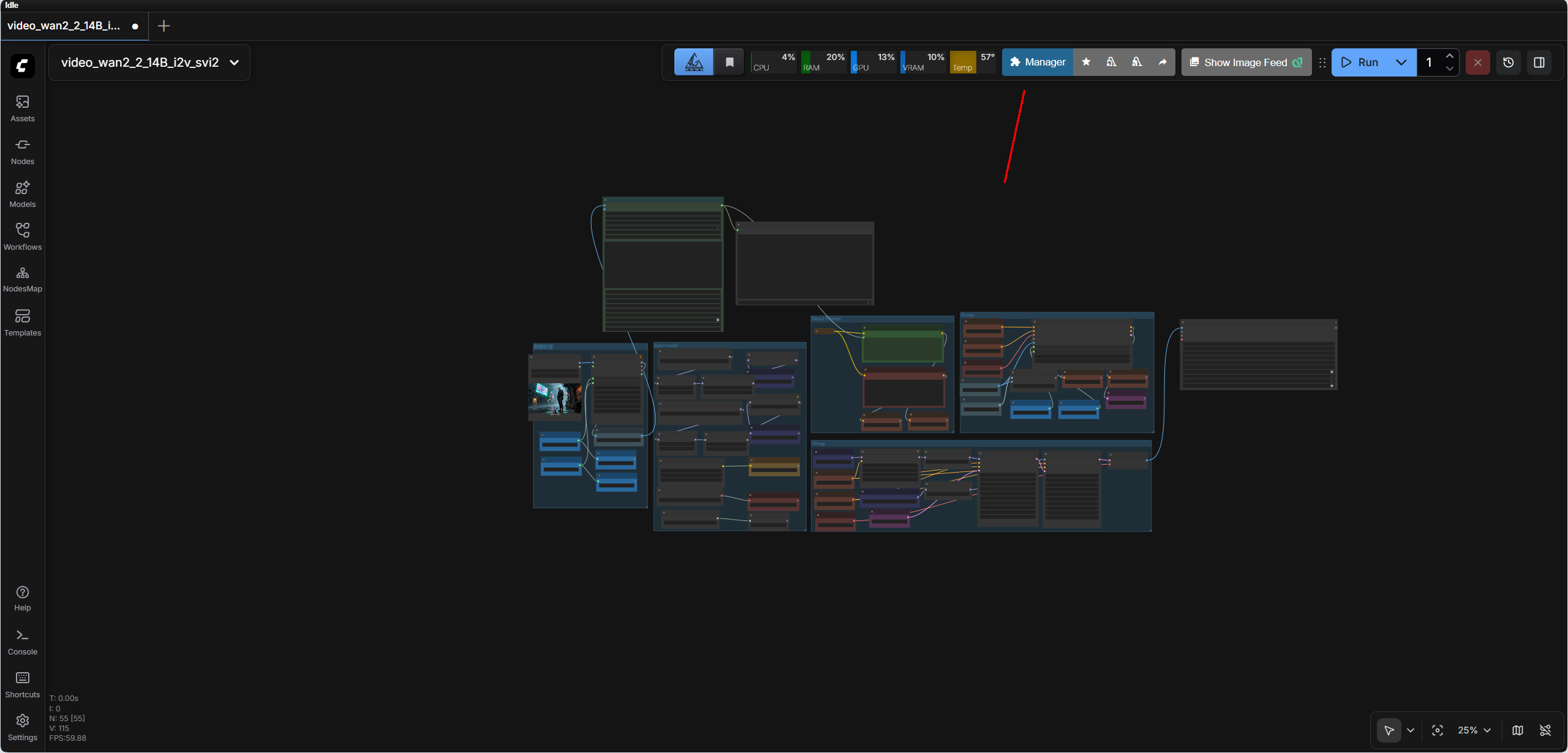
But now for the life of me I cannot install the manager - it’s just not working at all (no button shows up). I tried all the things (reinstall / different HD / run all the pip stuff / set security to weak / etc and nothing works. I fixed all the errors that showed up in the logs (I think) and it’s still missing. Here’s the log in case something jumps out:
** ComfyUI startup time: 2025-12-12 09:49:03.011
[2025-12-12 09:49:03.011] ** Platform: Windows
[2025-12-12 09:49:03.012] ** Python version: 3.12.11 (main, Aug 18 2025, 19:17:54) [MSC v.1944 64 bit (AMD64)]
[2025-12-12 09:49:03.012] ** Python executable: C:\Users\me\Documents\ComfyUI\.venv\Scripts\python.exe
[2025-12-12 09:49:03.012] ** ComfyUI Path: C:\Users\me\AppData\Local\Programs\ComfyUI\resources\ComfyUI
[2025-12-12 09:49:03.012] ** ComfyUI Base Folder Path: C:\Users\me\AppData\Local\Programs\ComfyUI\resources\ComfyUI
[2025-12-12 09:49:03.012] ** User directory: C:\Users\me\Documents\ComfyUI\user
[2025-12-12 09:49:03.026] ** ComfyUI-Manager config path: C:\Users\me\Documents\ComfyUI\user\__manager\config.ini
[2025-12-12 09:49:03.026] ** Log path: C:\Users\me\Documents\ComfyUI\user\comfyui.log
[ComfyUI-Manager] Skipped fixing the 'comfyui-frontend-package' dependency because the ComfyUI is outdated.
[2025-12-12 09:49:03.789] [PRE] ComfyUI-Manager
[2025-12-12 09:49:05.256] Checkpoint files will always be loaded safely.
[2025-12-12 09:49:05.373] Total VRAM 8151 MB, total RAM 32253 MB
[2025-12-12 09:49:05.373] pytorch version: 2.8.0+cu129
[2025-12-12 09:49:05.373] Set vram state to: NORMAL_VRAM
[2025-12-12 09:49:05.373] Device: cuda:0 NVIDIA GeForce RTX 5050 Laptop GPU : cudaMallocAsync
[2025-12-12 09:49:05.412] Using async weight offloading with 2 streams
[2025-12-12 09:49:05.413] Enabled pinned memory 14514.0
[2025-12-12 09:49:06.536] Using pytorch attention
[2025-12-12 09:49:08.108] Python version: 3.12.11 (main, Aug 18 2025, 19:17:54) [MSC v.1944 64 bit (AMD64)]
[2025-12-12 09:49:08.108] ComfyUI version: 0.4.0
[2025-12-12 09:49:08.142] [Prompt Server] web root: C:\Users\me\AppData\Local\Programs\ComfyUI\resources\ComfyUI\web_custom_versions\desktop_app
[2025-12-12 09:49:08.142] [START] ComfyUI-Manager
[2025-12-12 09:49:08.365] [ComfyUI-Manager] network_mode: public
[2025-12-12 09:49:09.174] Total VRAM 8151 MB, total RAM 32253 MB
[2025-12-12 09:49:09.174] pytorch version: 2.8.0+cu129
[2025-12-12 09:49:09.174] Set vram state to: NORMAL_VRAM
[2025-12-12 09:49:09.174] Device: cuda:0 NVIDIA GeForce RTX 5050 Laptop GPU : cudaMallocAsync
[2025-12-12 09:49:09.216] Using async weight offloading with 2 streams
[2025-12-12 09:49:09.216] Enabled pinned memory 14514.0
[2025-12-12 09:49:09.594] Blocked by policy: C:\Users\me\Documents\ComfyUI\custom_nodes\ComfyUI-Manager
[2025-12-12 09:49:09.595]
Import times for custom nodes:
[2025-12-12 09:49:09.595]    0.0 seconds: C:\Users\me\AppData\Local\Programs\ComfyUI\resources\ComfyUI\custom_nodes\websocket_image_save.py
[2025-12-12 09:49:09.595]
[2025-12-12 09:49:10.118] Context impl SQLiteImpl.
[2025-12-12 09:49:10.118] Will assume non-transactional DDL.
[2025-12-12 09:49:10.120] No target revision found.
[2025-12-12 09:49:10.154] Starting server

[2025-12-12 09:49:10.155] To see the GUI go to: http://127.0.0.1:8000
[2025-12-12 09:49:10.848] comfyui-frontend-package not found in requirements.txt
[2025-12-12 09:49:11.337] FETCH ComfyRegistry Data: 5/112
[2025-12-12 09:49:14.393] FETCH ComfyRegistry Data: 10/112
[2025-12-12 09:49:17.383] FETCH ComfyRegistry Data: 15/112
[2025-12-12 09:49:20.391] FETCH ComfyRegistry Data: 20/112
[2025-12-12 09:49:23.417] FETCH ComfyRegistry Data: 25/112
[2025-12-12 09:49:26.442] FETCH ComfyRegistry Data: 30/112
[2025-12-12 09:49:29.462] FETCH ComfyRegistry Data: 35/112
[2025-12-12 09:49:32.465] FETCH ComfyRegistry Data: 40/112
[2025-12-12 09:49:35.497] FETCH ComfyRegistry Data: 45/112
[2025-12-12 09:49:38.509] FETCH ComfyRegistry Data: 50/112
[2025-12-12 09:49:42.053] FETCH ComfyRegistry Data: 55/112
[2025-12-12 09:49:46.778] FETCH ComfyRegistry Data: 60/112
[2025-12-12 09:49:49.817] FETCH ComfyRegistry Data: 65/112
[2025-12-12 09:49:52.815] FETCH ComfyRegistry Data: 70/112
[2025-12-12 09:49:56.095] FETCH ComfyRegistry Data: 75/112
[2025-12-12 09:49:59.171] FETCH ComfyRegistry Data: 80/112
[2025-12-12 09:50:02.231] FETCH ComfyRegistry Data: 85/112
[2025-12-12 09:50:20.176] FETCH ComfyRegistry Data: 90/112
[2025-12-12 09:50:23.250] FETCH ComfyRegistry Data: 95/112
[2025-12-12 09:50:26.295] FETCH ComfyRegistry Data: 100/112
[2025-12-12 09:50:29.984] FETCH ComfyRegistry Data: 105/112
[2025-12-12 09:50:33.409] FETCH ComfyRegistry Data: 110/112
[2025-12-12 09:50:35.506] FETCH ComfyRegistry Data [DONE]
[2025-12-12 09:50:35.633] [ComfyUI-Manager] default cache updated: https://api.comfy.org/nodes
[2025-12-12 09:50:35.658] FETCH DATA from: C:\Users\me\Documents\ComfyUI\user\__manager\cache\1514988643_custom-node-list.json [DONE]
[2025-12-12 09:50:35.713] [ComfyUI-Manager] All startup tasks have been completed.
Oh no my other main PC with the fancy GeForce card has ComfyUI that I’ve been using for a while now and it’s manager also disappeared! What’s going on here….?
About what manager do we talk here? The ComfyU manager addon, which you still need to add by hand, is still located up right. Do you mean the text menus that are now hidden under the C button? Yeah imho a bad UX decision. It should be optional. But i can see where they come from. It saves space. At the cost of usability.
I miss the manager you got with the big blue button. The new manager is very hard to use IMHO and with the addition of large graphic elements it makes the lists very long and harder to navigate. I wish there was a way to bring the old version back!
That blue button is exactly what I am missing on both of my systems. I assumed on my laptop that I wasn’t installing it properly (as I mentioned above) but then when it disappeared from my desktop (it had always been there up until some recent update) I assumed it went away and was replaced by the menu items.
Wow, one other development. I launched my portable version I installed earlier in this thread and the button was missing there too, but I don’t recall if I ever installed it. So I did the “open terminal” thing in the custom-nodes directory and a git clone to install, and after restarting the portable version the button is there! Weird.
OK, well as I mentioned above I lost the button and it’s gone on both my laptop (non portable version) and desktop PC after some recent update. I know for sure I had the blue manager button my desktop before some recent update. Maybe I’ll try installing an older version and turning off automatic updates to see if the button comes back.
Otherwise I’m at a loss why the button disappeared for both of my systems.
OK so I don’t think I’m going to be able to solve the problem with the missing manager button on both of my systems so I wanted to ask the community:
Is there a manual way to do the things the manager does? Like update missing nodes/modules, find new modules (prob some website?), and whatever else the manager does? I guess I can do without it but it’s a big bummer that it disappeared with some recent update to ComfyUI.
I haven’t tried the install of an older version, maybe there’s a way to install it in a different directory so it doesn’t affect my current install just to see if the manager button works there after I clone the git packages into the custom-nodes directory.
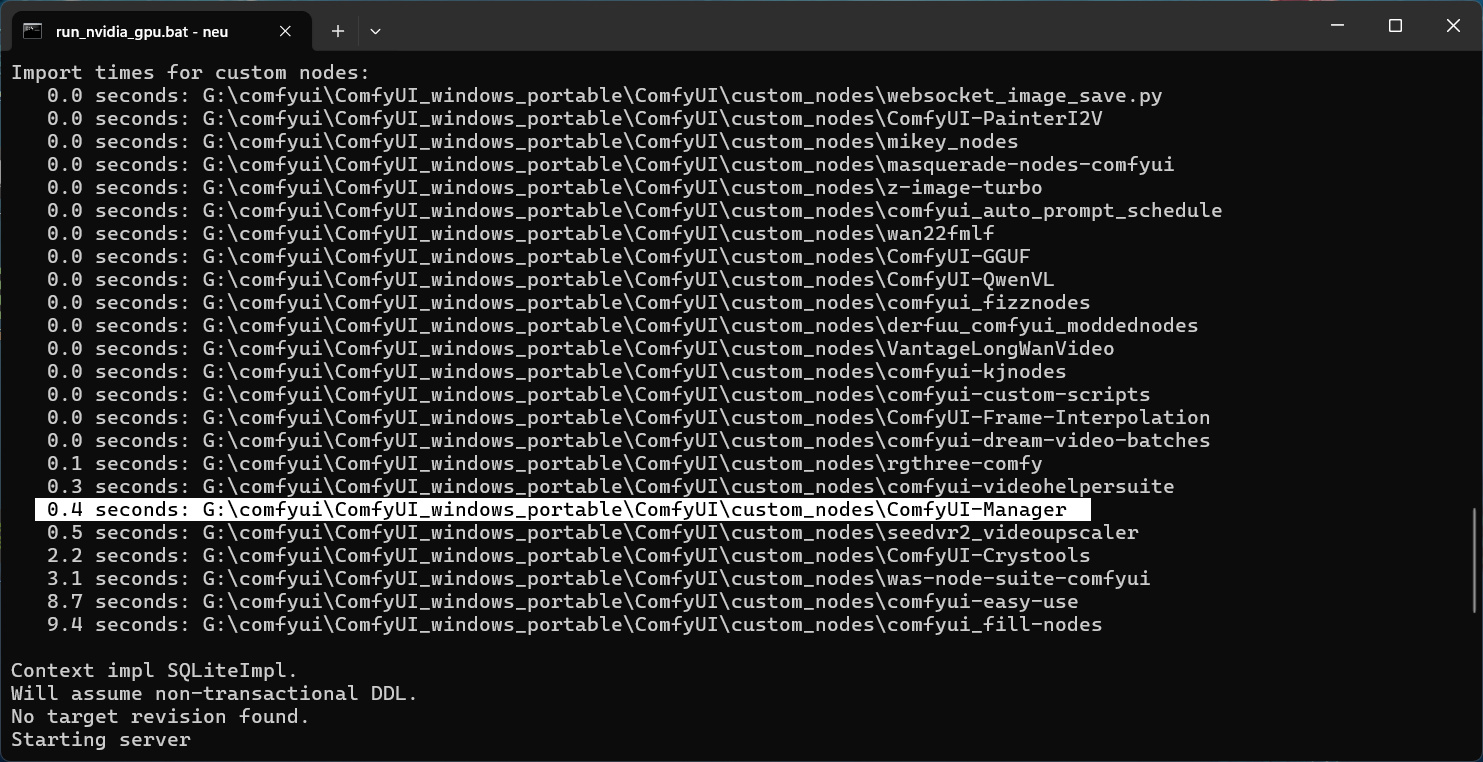
What does the console say about the addon? Does it load ?
As told, for me the manager loads just fine. Well, asides a deprecated warning. And my ComfyUI version is up to date.
Unfortunately, the built in manager solution is not really functional to me. So for me the manager addon is still an essential. But i haven’t used it since a while. Maybe they fixed it meanwhile.
So the first github link you provided takes me to the portable version. I am trying to use the desktop version from this link:
That might be one key difference here. My portable version has the manager and works. I’m trying to fix the desktop versions I use on both of my PCs as the manager button is not there on both.